I don't know which keywords to use to search for a solution so I hope someone can help?
I use the amazing PlotARoute.com web app to make my routes and then export them to a GPX file
QUESTION: when I import the GPX file into PlanTomTom, the waypoint are not visible. (Google maps does recognise them, so they are imbedded correctly)
EXAMPLE: in the enclosed examples I added 3 waypoints (coffee breaks in the journey)
What could be done about this??
THE EXAMPLES must be renamed, remove the .txt extension!!!
click for lager images:
PLANTOMTOM result after import: no waypoints
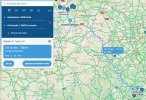
GOOGLE MAPS after import: waypoint correctly imported
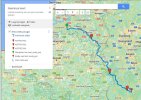
PLOTAROUTE.COM: addes 3 waypoints and then exported the GPX file
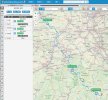
PLANAROUTE.COM export options. I TRIED the 2 export options: WAYPOINT and POI

I use the amazing PlotARoute.com web app to make my routes and then export them to a GPX file
QUESTION: when I import the GPX file into PlanTomTom, the waypoint are not visible. (Google maps does recognise them, so they are imbedded correctly)
EXAMPLE: in the enclosed examples I added 3 waypoints (coffee breaks in the journey)
What could be done about this??
THE EXAMPLES must be renamed, remove the .txt extension!!!
click for lager images:
PLANTOMTOM result after import: no waypoints
GOOGLE MAPS after import: waypoint correctly imported
PLOTAROUTE.COM: addes 3 waypoints and then exported the GPX file
PLANAROUTE.COM export options. I TRIED the 2 export options: WAYPOINT and POI
Attachments
Last edited: